
Talking to ChatGPT isn't speaking practice: 6 gaps in chatbot voice mode
November 15, 2026 · Updated November 18, 2026

Speaking is the skill most learners avoid, so voice mode in ChatGPT and Gemini looks like a gift: a partner who's awake at 2 a.m. and never judges you.
Try it in French or Japanese for a week and you'll notice something. The conversation flows, you feel fluent, and you're not getting much better. Here's why.
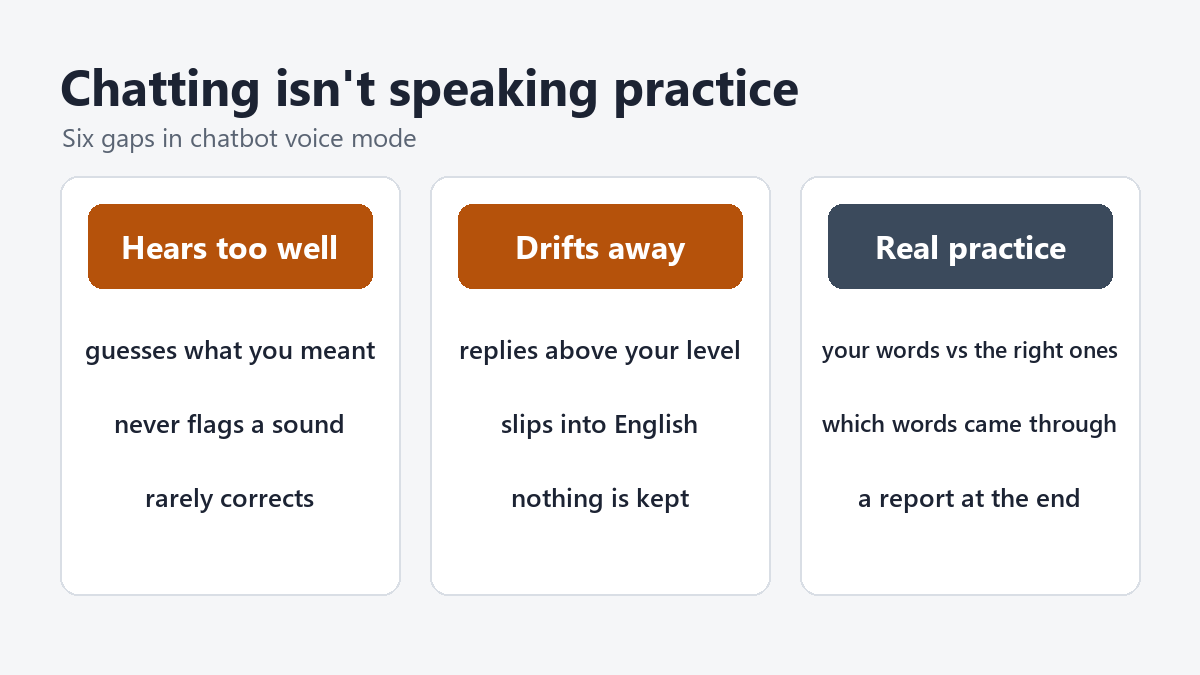
1. It understands you too well
A chatbot is built to work out what you meant, even from a broken sentence or a strong accent. That's great for a user and bad for a learner. A waiter in Madrid or an examiner in Montréal won't try nearly as hard. If the machine always understands you, you never find out which sounds are letting you down.
2. It rarely corrects you
Ask a chatbot to correct every mistake and it'll do it for a few turns, then slip back into chatting. Voice mode makes it worse: correcting someone out loud breaks the flow, so the model tends to skip it. You can talk for twenty minutes and hear one correction.

3. It doesn't stay at your level
Start at beginner level and within a few turns the replies are long, fast and full of words you've never seen. Or the model switches to English to help. Either way you're no longer practising at the edge of what you can do, which is where speaking improves.

4. You can't see what you said
Voice mode answers what it thinks you said. You don't see a transcript of your own words next to the correct version, so you can't spot the pattern: the article you always drop, the verb ending you always swap.
5. It doesn't tell you which words didn't come through
When you mispronounce a word, a chatbot usually guesses it from context and moves on. Useful feedback is the opposite: this word came through clearly, this one was unclear, this one was missing.
6. Nothing is kept
When the chat ends, the practice is gone. There's no report, no list of what to work on, and no sign of whether today was better than last month.
What real speaking practice needs
- Correction on every turn, shown without stopping the conversation.
- Your words, the right words and the meaning, side by side.
- A partner who speaks at your level and stays there.
- Repeat-after-me drills that check which words came through.
- A report at the end with your estimated level and what to practise next.
How FluentSprout does it
In FluentSprout's Talk, you pick a topic (travel, work, the news, an exam task) and who you're talking with. Your partner speaks at your level, on every topic. Under everything you say you get three buttons:
- 🔊 What you said: your own words read back.
- 🔊 How to say it: the corrected version.
- 🔊 What you meant: the meaning, in your own language.
Pause any time and continue later. When you're done, End & get report gives you an estimated level and what to work on. In voice mode you talk hands-free and can interrupt your tutor, as you would a person.
Repeat after me shows which words came through clearly, which were unclear and which were missing. We're honest about the limit: it checks words, not your accent. Sounds to watch lists the sounds that speakers of your first language often find hard.
And for exam candidates, Talk's exam mode runs the real speaking task types for TEF Canada and TCF Canada, with the prompt on screen and the official timers running.
Use a chatbot to chat. Use a tutor to get better at speaking. Try a conversation on FluentSprout.